
Portal access
The Studio 12 app is retiring at the end of October 2026. Use the portal instead: paying, registering, absences and your account details are all there.
Client Portal
For Studio 12 families. Pay or update billing, register for classes, report an absence, and update your contact details.
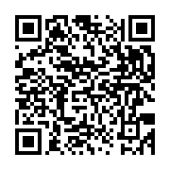
Scan to open the Client Portal
Teacher Portal
For Studio 12 teachers. Take attendance, see your class lists and log your hours.
Staff Portal
For Studio 12 administrators and office staff only. Families and teachers should use their own portals.
Put the portal on your home screen
Open your portal link above on your phone first, then:
iPhone (Safari)
- Tap the Share button (the square with an arrow).
- Scroll down and tap Add to Home Screen.
- Tap Add.
Android (Chrome)
- Tap the menu (the three dots, top right).
- Tap Add to Home screen.
- Tap Add.
First time logging in? Use “Forgot password” with the email address you gave Studio 12. Questions: admin@s12.ca or (306) 955-6121. New to Studio 12? See classes and register.